
Accessing Zeta Login - FAQs
Why do I see an error when trying to log in to applications?
After migration to Zeta Login, you will be prevented from logging in to applications from the application URLs directly and all users should log in via Zeta Login using the following link:
Upon successful login, you will be landed on to User workspace where you can switch applications or change Business Units.
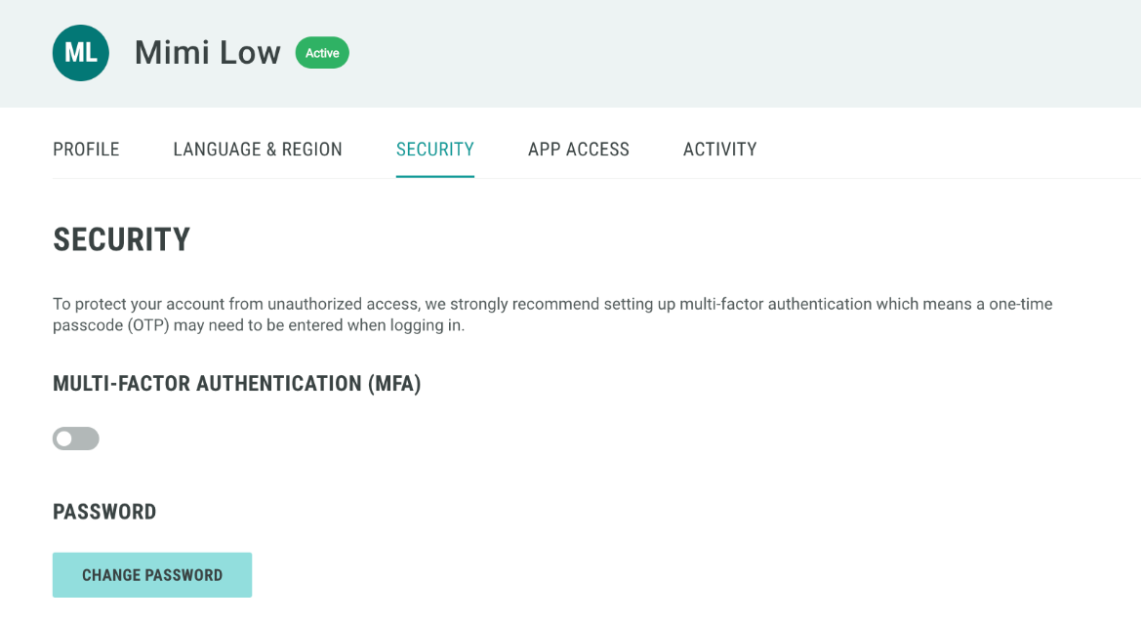
How do I enable Multi-Factor Authentication (MFA)?
MFA can be turned on from the Security tab in the User workspace.
Note: The Google Authenticator app is one of the recommended app because it is widely available on Android, iOS and Windows mobile devices.
What can I do if I have lost my device with Zeta Login MFA on it?
If you've lost or misplaced a device with Zeta Login MFA on it, report the incident to our Global Support team and we will turn off the MFA for your account so that you can log in to Zeta Login with your existing ID and Password.
What can I do if I forget my password?
You can reset your password if you have forgotten, or want to change it for security reasons.
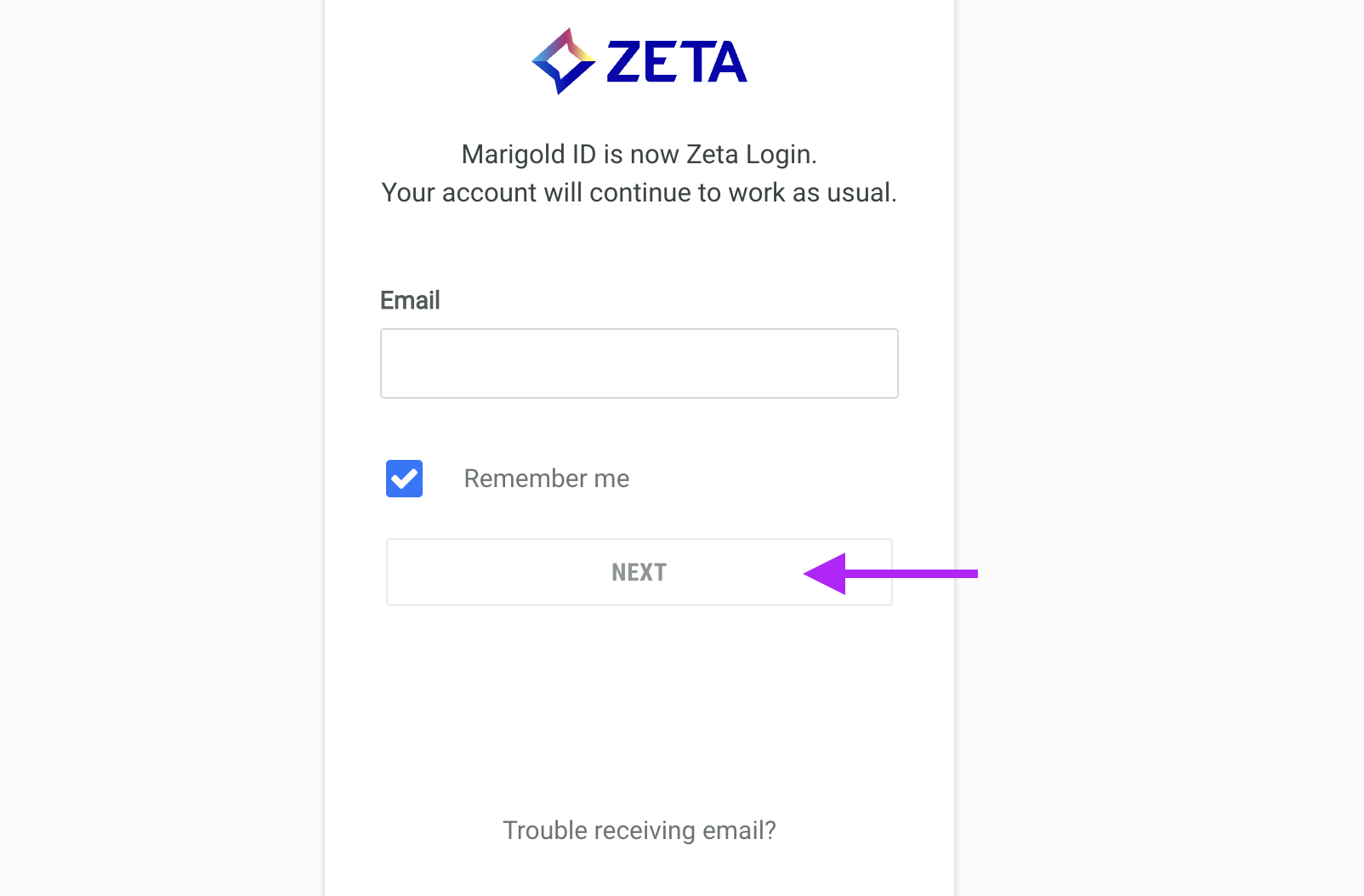
On the login screen, enter your email address and click Next.
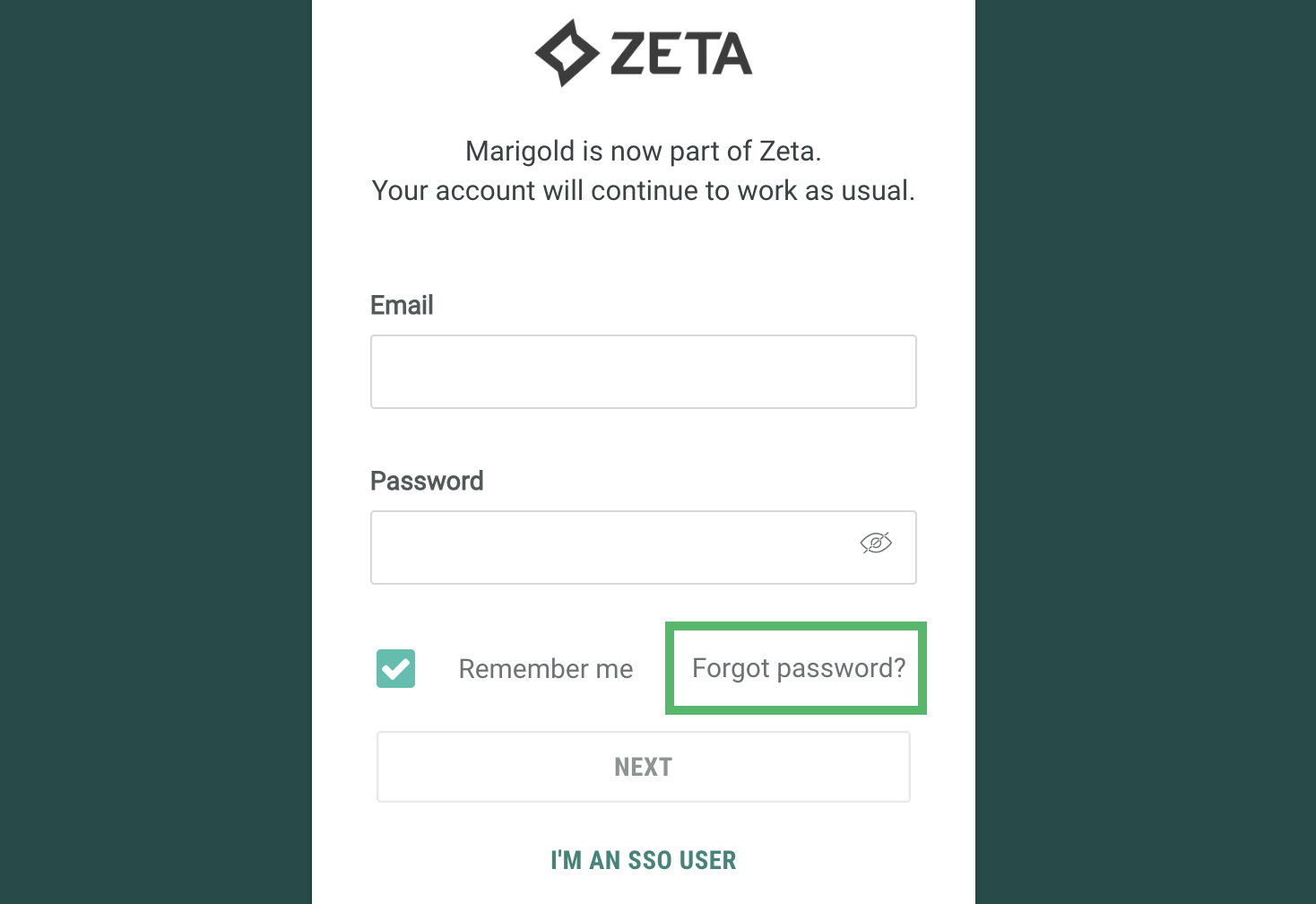
When asked to enter your password, click Forgot Password?
Enter the email address associated with you account and click Next
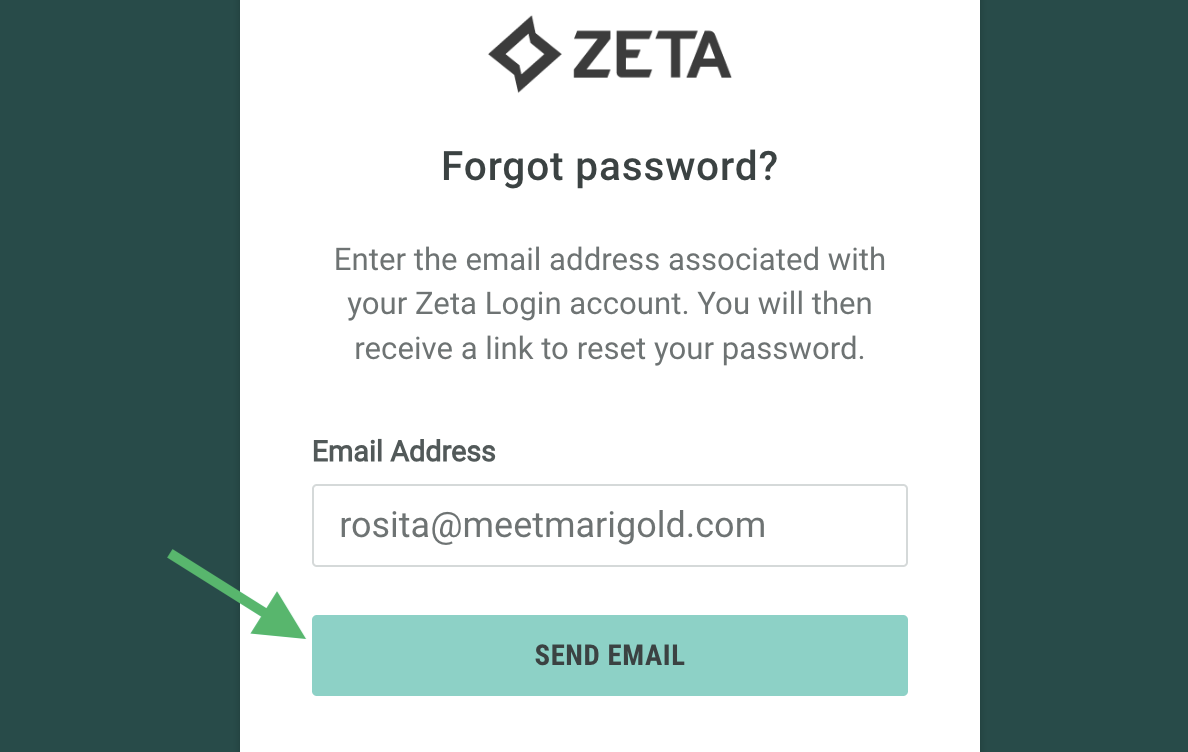
You will receive an email with a link to reset your password; follow the instructions and enter a new password to reactivate your account.
Alternatively, contact your Organization Admin.
How do I check for my access in Zeta Login?
To view your current application and business unit access:
-
Log into the Zeta Login User Workspace. The Profile tab is selected by default.
-
Select the App Access tab. This tab displays all the business units and applications to which you have been assigned.
-
Optionally search for a business unit by entering all or part of the business unit name in the search field.
If you need access to another application and / or business unit, please reach out to your Organization Administrator.
What can I do if my Zeta Login account is locked or suspended?
As a user, there are several states that your profile can be in. This can be determined by the administrators, or by your level of activity on the platform.
Depending on whether your account is locked, suspended, or deactivated, there are different steps to follow.
See our guide on User Access States on how to troubleshoot your account access issues.